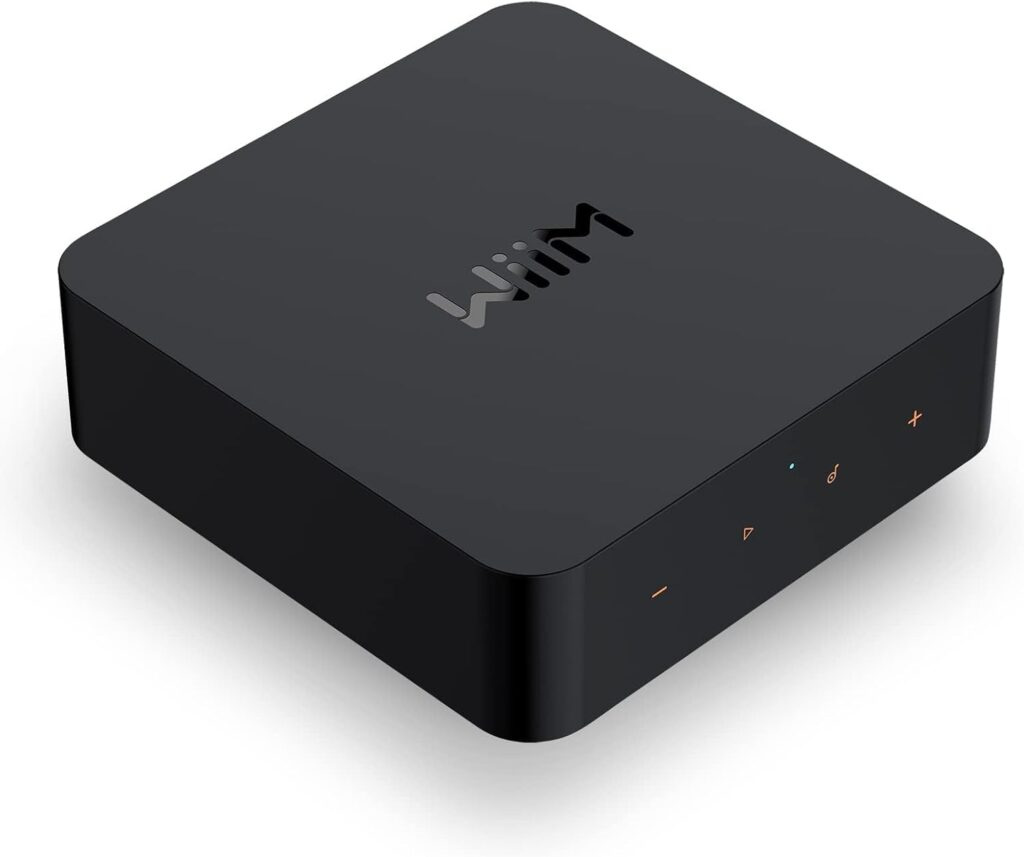
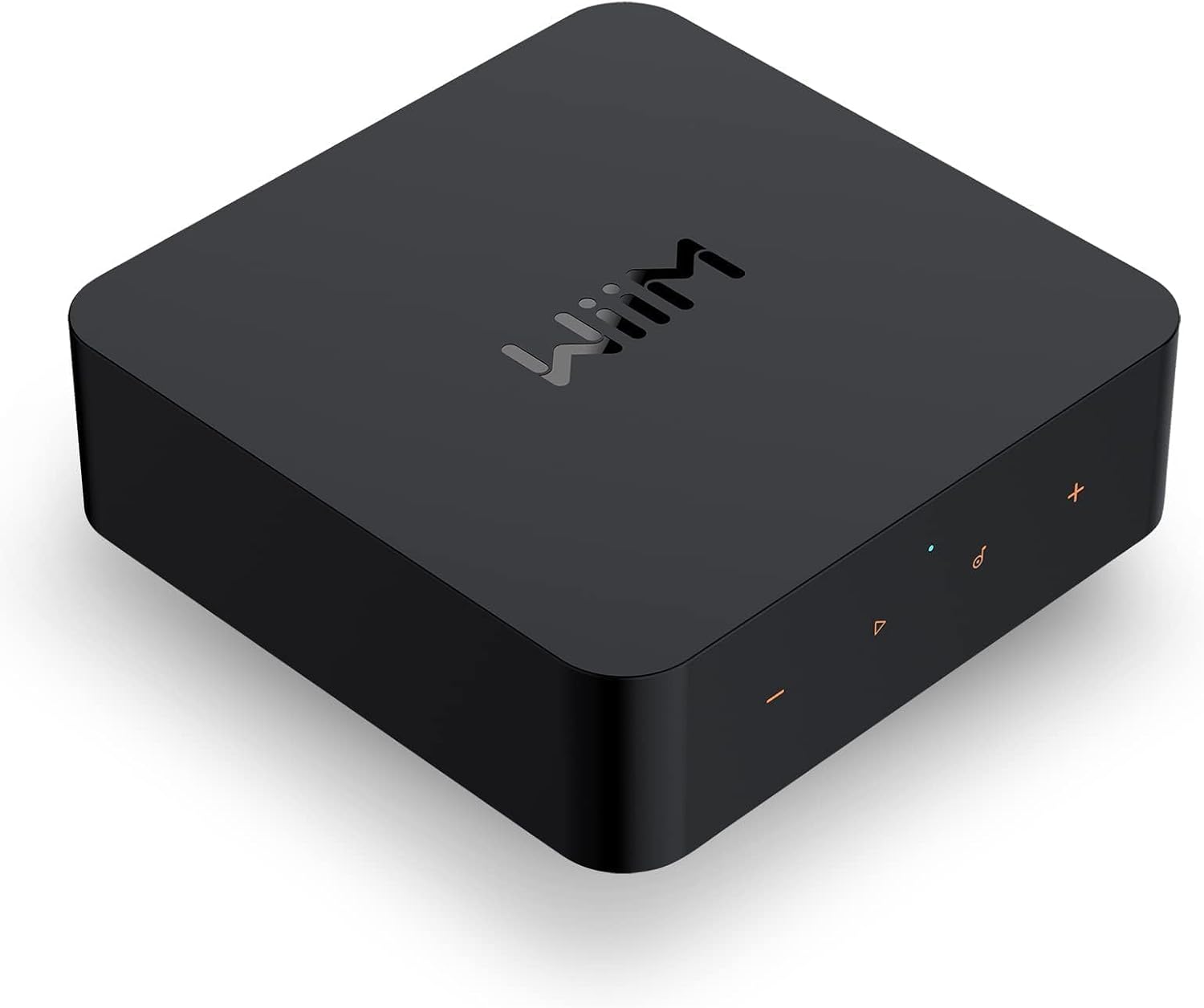
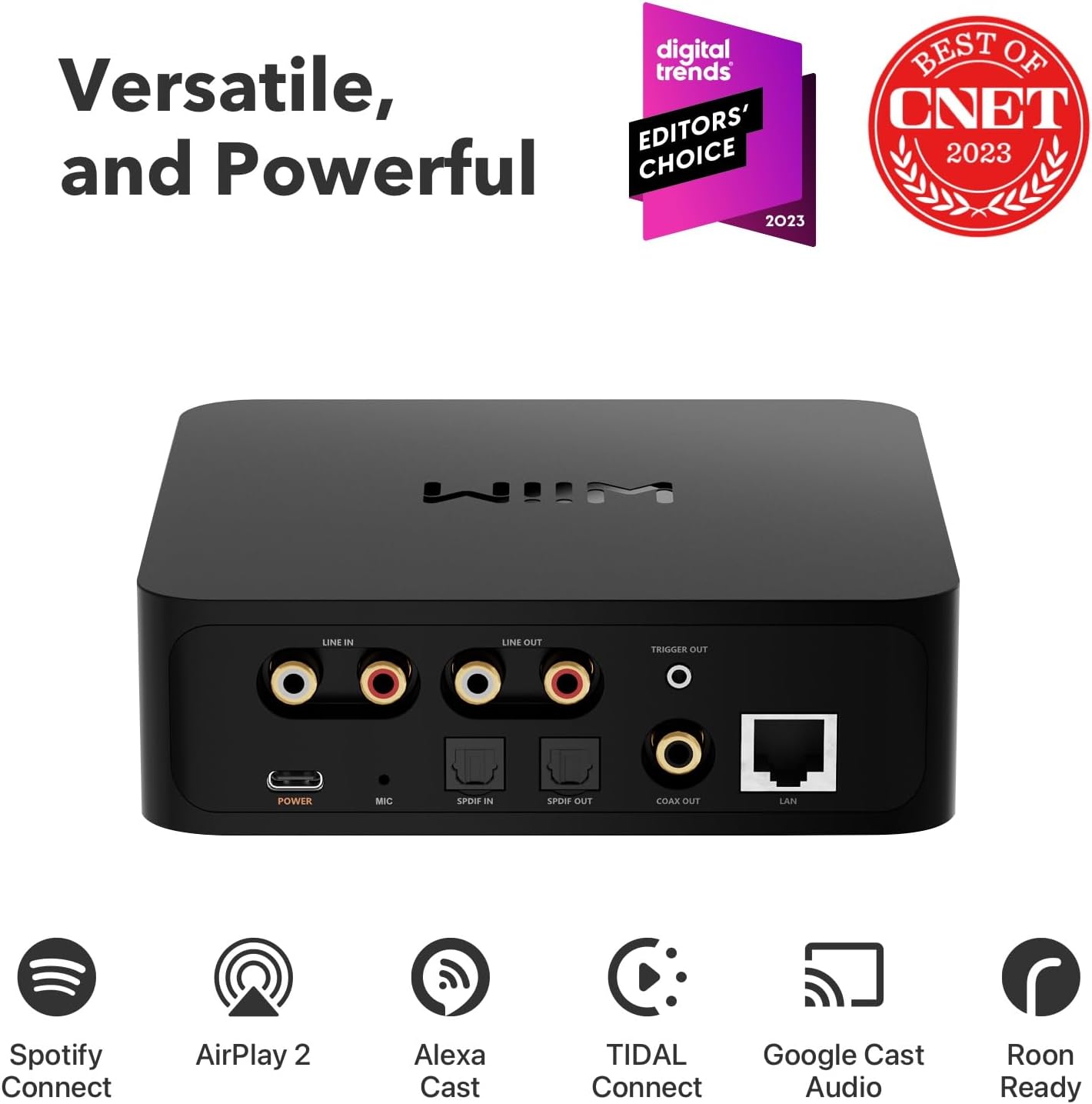
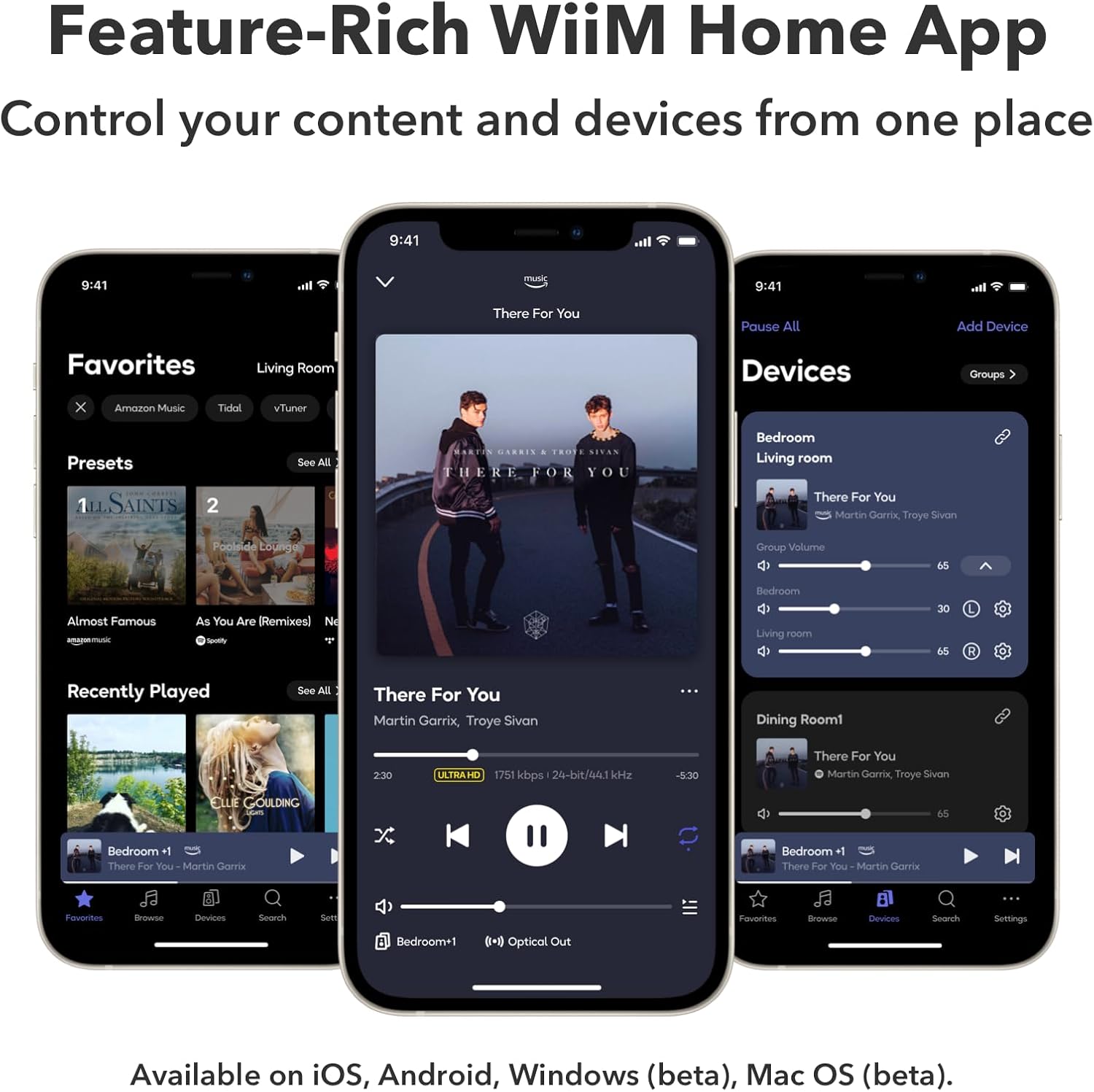
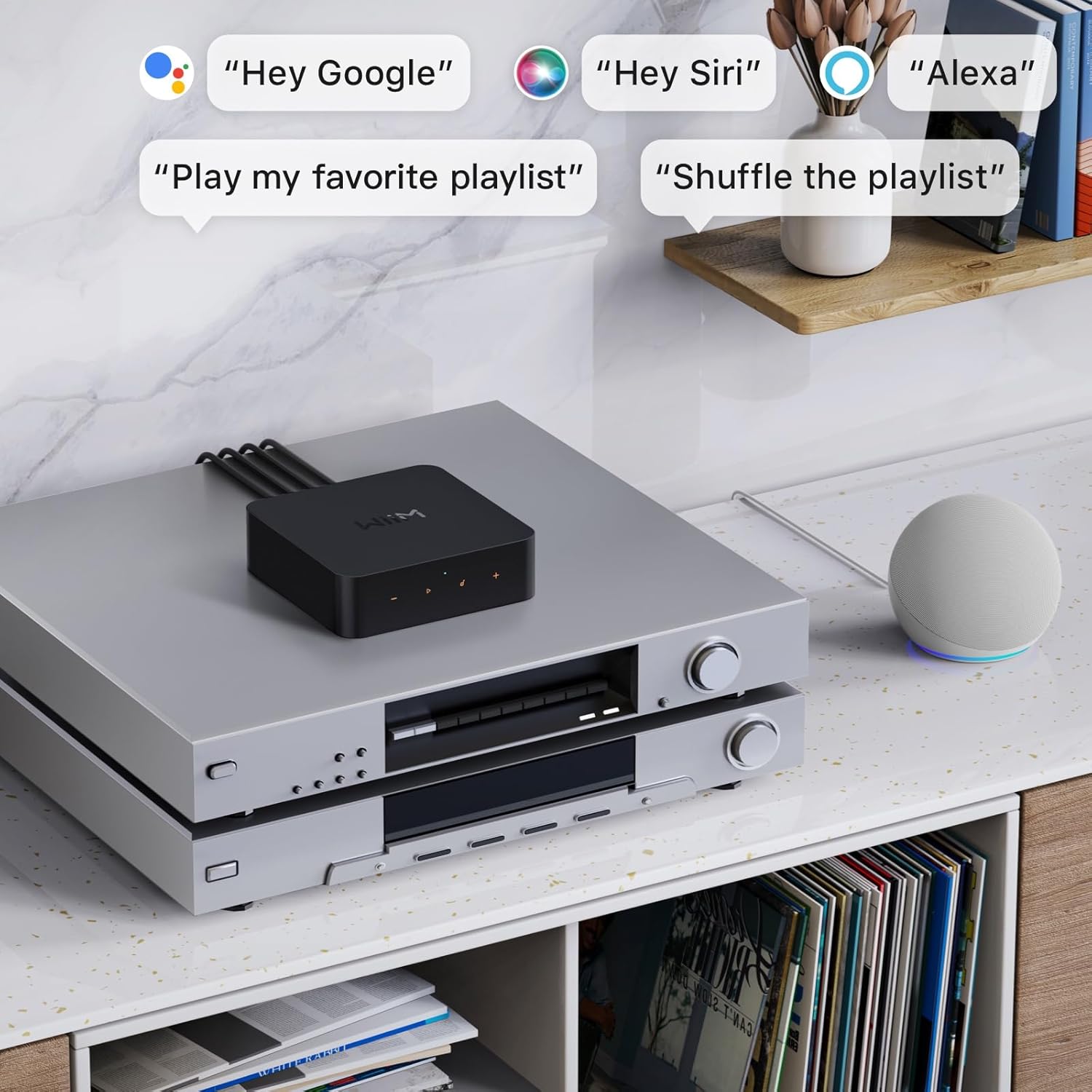
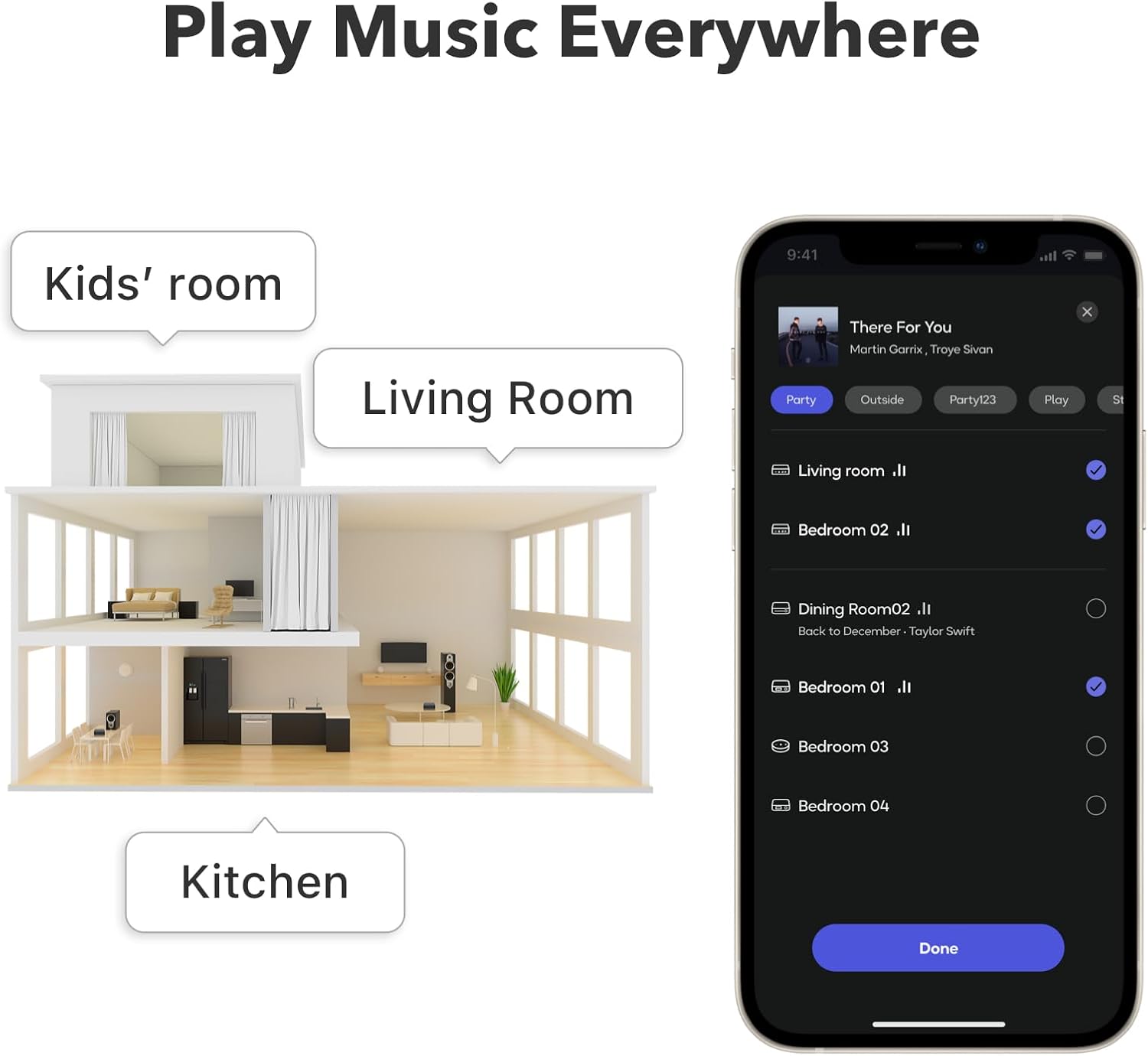


The WiiM Pro Audio Streamer brings high-resolution, multiroom audio to your home with seamless support for AirPlay 2, Chromecast, DLNA, and Bluetooth 5.1. Enjoy crystal-clear 24-bit/192 kHz sound while easily controlling your music via the WiiM Home app or voice assistants like Alexa and Google Assistant. Upgrade your home audio setup today and experience professional-quality sound in every room.
A Chromecast Audio receiver is the fastest way I know to make an older stereo feel modern again—without ditching speakers you already love. When I set up multiroom audio at home, the biggest win wasn’t chasing the newest smart speaker; it was adding one small streamer that made every room easier to live in (kitchen, living room, even a bedroom corner where furniture placement limits speaker options).
That’s why I keep coming back to the WiiM Pro as my go-to Chromecast Audio receiver: it adds Chromecast Audio and AirPlay 2 to “dumb” audio gear, supports Spotify Connect and TIDAL Connect, and it’s built for true multiroom streaming. If you’re shopping for a clean, reliable way to stream music across rooms—especially if you already own an amp, AVR, soundbar, or powered speakers—this is the one I’d shortlist first.
WiiM Pro on Amazon: https://www.amazon.com/dp/B0BJDY6D1W
Why I like WiiM Pro as a Chromecast Audio receiver
What separates a “fine” streamer from a “daily driver” streamer is whether it fits real life: phones switching users, guests asking to play music, pets pacing the house while you move from room to room, and a TV that needs better sound without turning your living room into a cable museum.
Here’s what I personally consider the core value of the WiiM Pro:
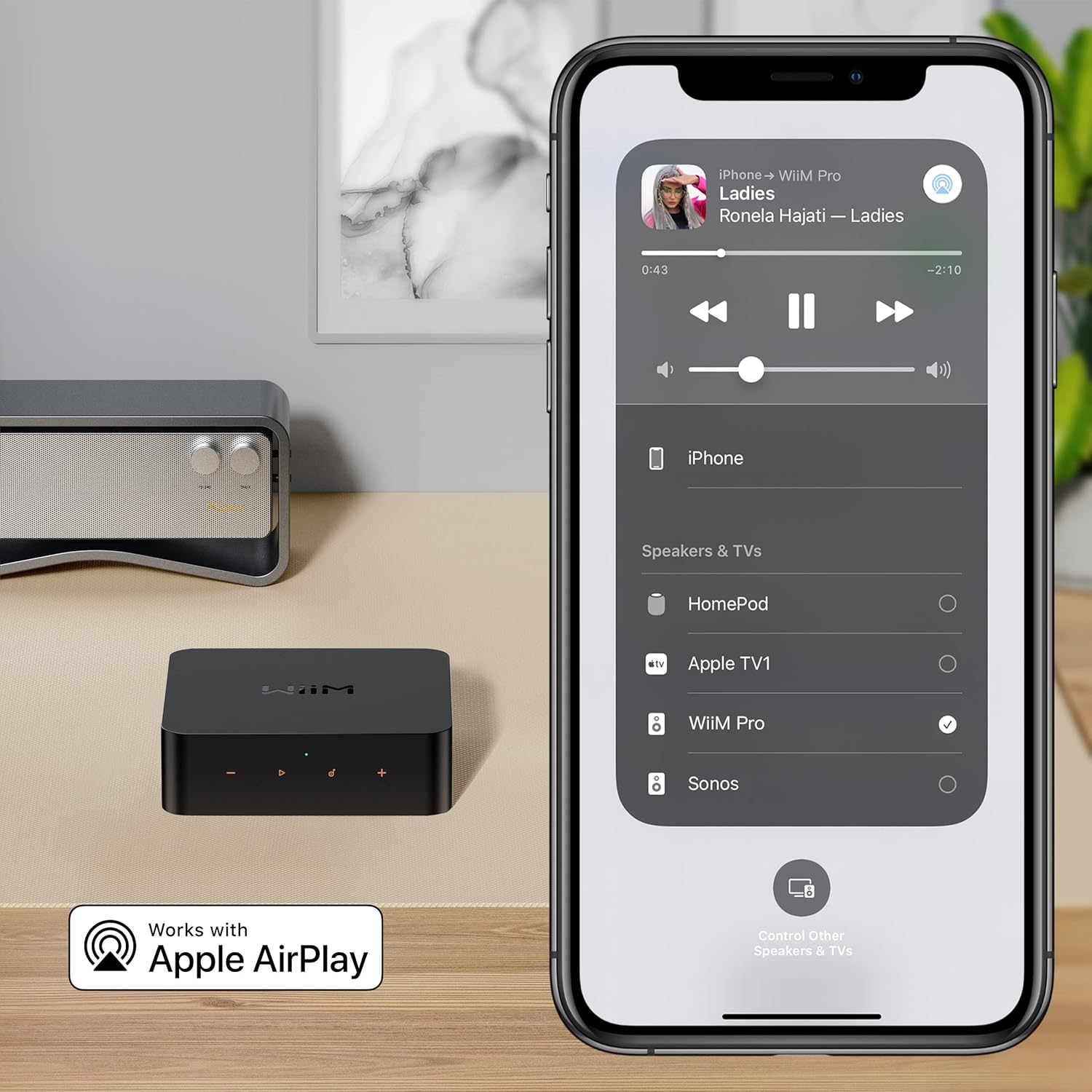
- It turns an existing stereo into an AirPlay 2 receiver (stream from iPhone/Mac, including Apple TV audio use cases).
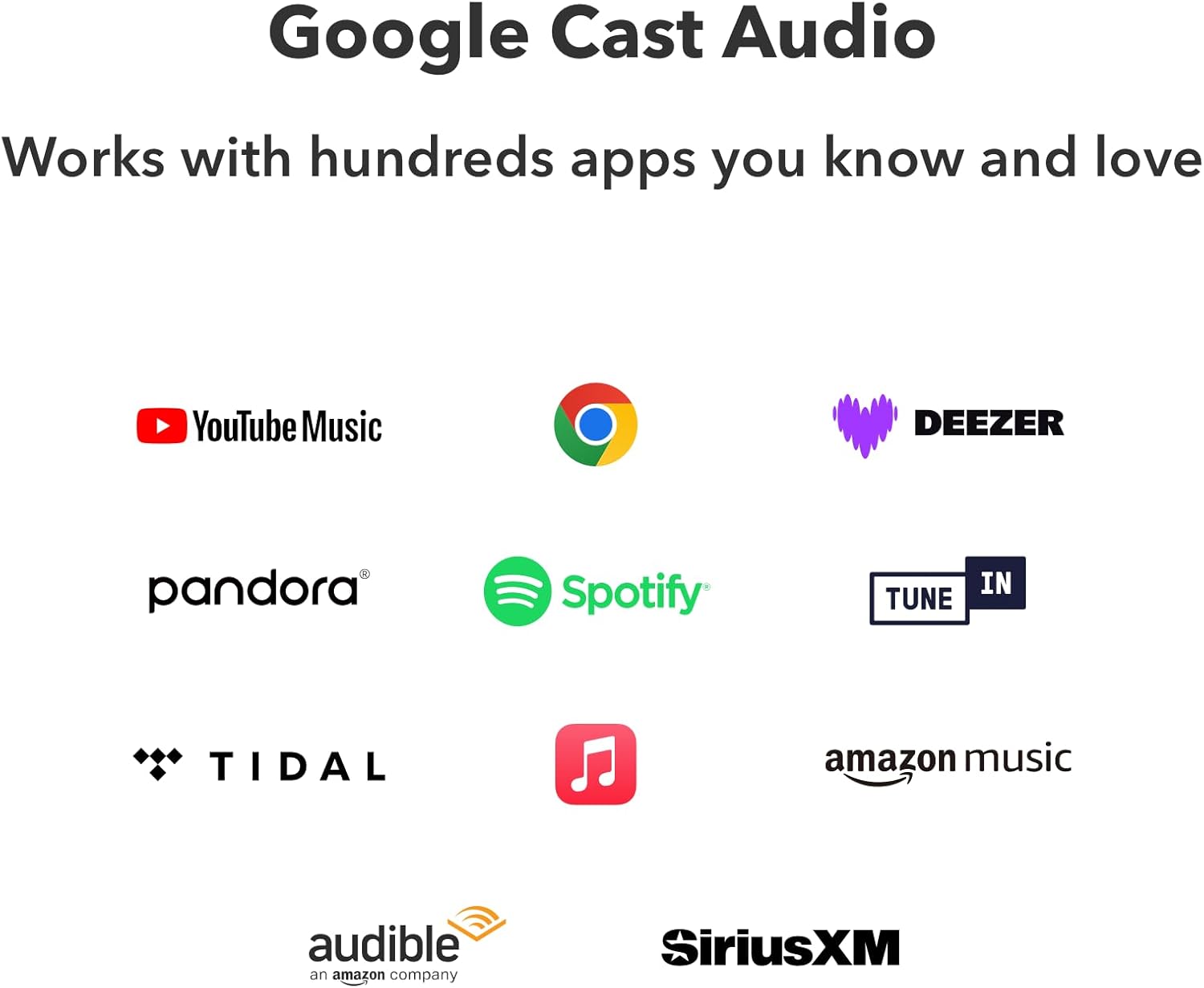
- It supports Chromecast Audio, so casting from Chromecast-enabled apps feels native and fast.
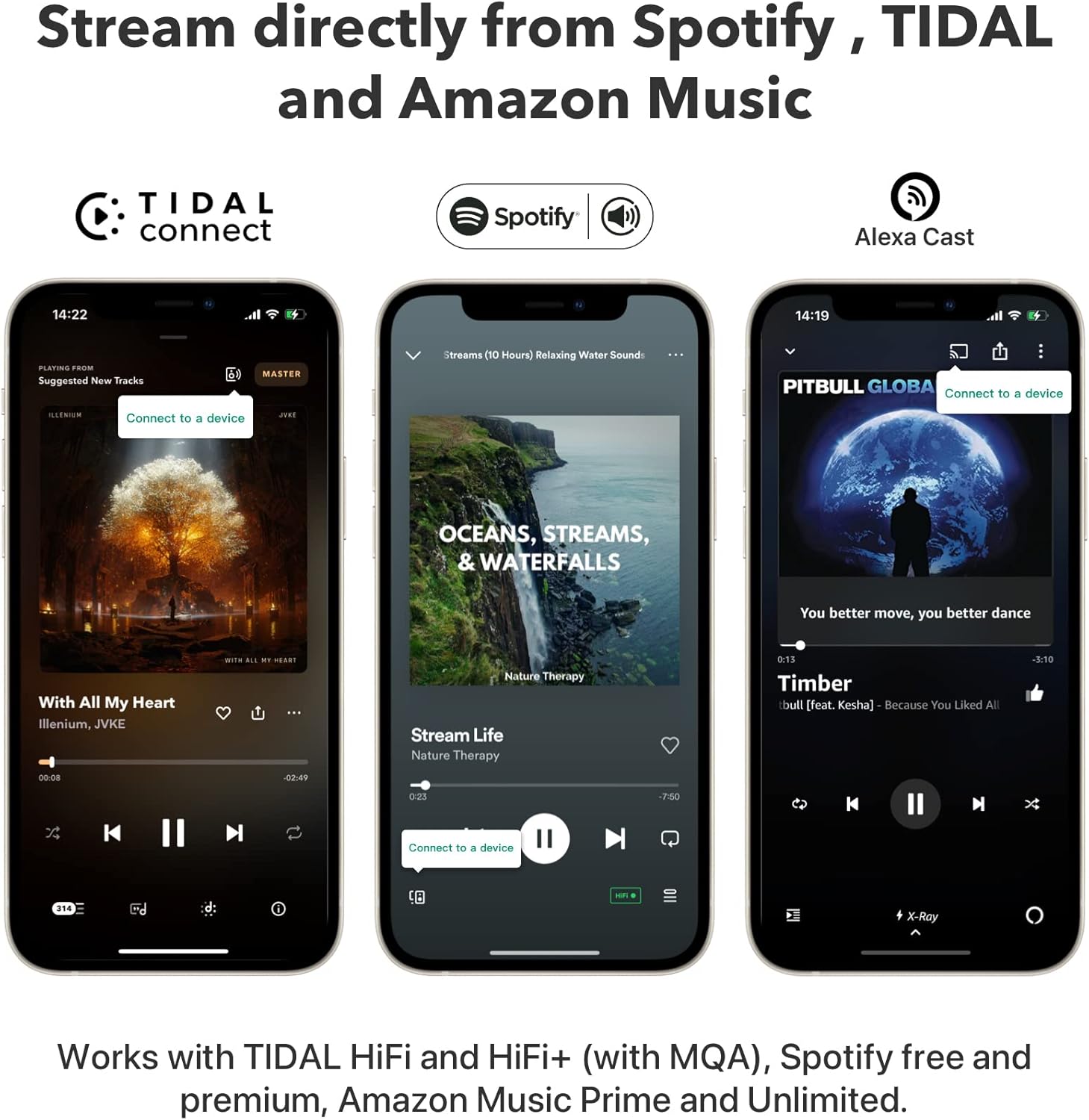
- It supports Spotify Connect, TIDAL Connect, and Amazon Music casting (Alexa Cast), so the streaming app becomes the remote instead of relying on flaky Bluetooth habits.
- It supports up to 24-bit/192 kHz streaming and can output “bit-perfect” audio through digital optical or coaxial outputs.
- It’s designed for multiroom streaming across AirPlay 2, Chromecast, Alexa ecosystems, plus WiiM’s own grouping.
If your goal is “I want my current speakers in multiple rooms to behave like a modern system,” this checks the right boxes.
Who this setup is perfect for (home + apartment realities)
I’ve seen people buy new speakers because streaming feels complicated, when the real problem is that their existing system has no easy network bridge. A Chromecast Audio receiver solves that bridge problem, and WiiM Pro does it in a way that works with how homes are actually laid out.
Homeowners: whole-home sound without remodeling
If you have an open-plan living room that spills into a kitchen, audio “coverage” is usually the problem, not volume. With WiiM Pro, I can keep the main speakers where they look best (near the TV console or media cabinet) and still group audio so the kitchen stays in sync while cooking.
Apartment renters: better sound without drilling or new furniture
In apartments, furniture placement is often fixed by outlets, walkways, and neighbor-friendly volume limits. I like that WiiM Pro is small and can sit discreetly on a console, shelf, or inside a media unit, while connecting via Wi‑Fi or Ethernet depending on what your space allows.
Pet owners: smoother routines (and fewer “startle” moments)
This is a practical detail: multiroom audio makes it easier to keep a consistent, calm sound level as you move between rooms (feeding time, cleaning, or crate time). The WiiM Home app also includes alarm/sleep timer features that can help you keep routines predictable.
What I connect the WiiM Pro to (simple wiring options)
One reason I consider WiiM Pro an excellent Chromecast Audio receiver is that it doesn’t force a single “right” connection method. You choose based on what you already own.
Common setups I use:
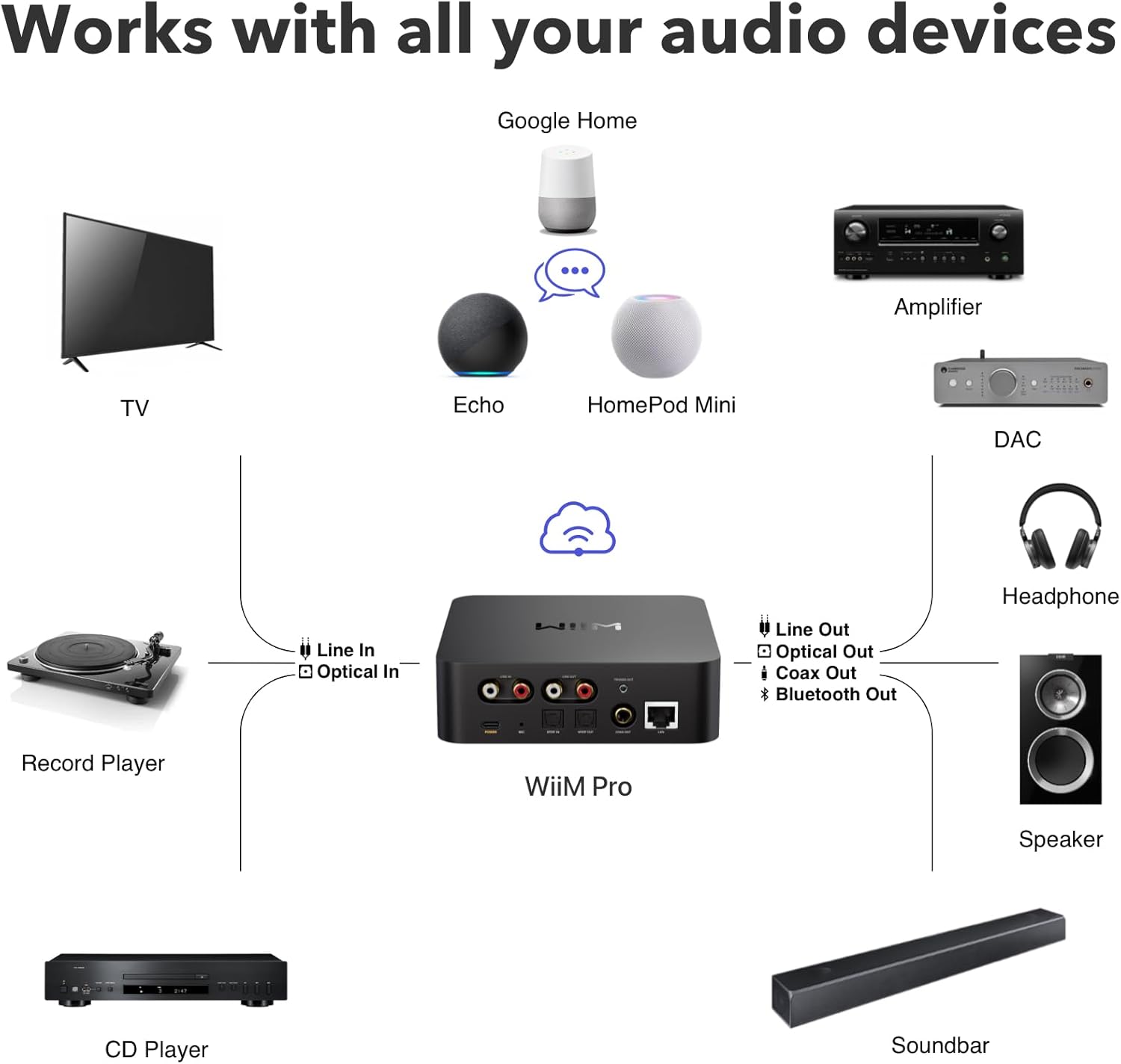
- AVR or stereo receiver: WiiM Pro → optical/coaxial digital out (best if your AVR’s DAC is good).
- Integrated amp or powered speakers: WiiM Pro → RCA line out (simple and clean).
- External DAC: WiiM Pro → optical or coax (great for audiophile systems).
A detail I appreciate: the manual notes WiiM Pro outputs audio through one output interface at a time, which keeps routing predictable.
My “best results” settings (so it sounds right fast)
A Chromecast Audio receiver can sound “thin” or “off” if the setup defaults don’t match your downstream gear. When I’m dialing in a WiiM Pro, these are the first things I check:
- Use digital out if you want bit-perfect output (optical/coax), then set appropriate max sample rate for your DAC/amp in the WiiM Home app.
- If using an amp/receiver for volume, enable fixed volume output; otherwise control volume in the app.
- Use the EQ only after the system is stable, then do small adjustments (this keeps troubleshooting simple).
This approach prevents the common “it’s quieter than Bluetooth” or “why does it distort at higher volume” confusion.
Real-life room ideas (kitchen, living room, bedroom)
This is where the WiiM Pro earns its keep for me: it helps audio follow the home, not the other way around.
Kitchen: music where you actually stand
Kitchens are full of reflective surfaces and appliance noise, so perfect imaging doesn’t matter nearly as much as consistent coverage. I’ll often group kitchen audio with the living room so vocals stay clear while I’m moving around, and I don’t have to crank volume just to hear lyrics over a vent hood.
Living room: TV console stays clean
If you hate visible wires, the WiiM Pro’s compact footprint helps you keep it tucked near the receiver or behind a TV stand, using optical/coax/RCA depending on your layout. The official product positioning also calls out streaming TV audio from Apple TV via AirPlay 2, which matches how many living rooms are built today.
Bedroom or office: focused listening without “smart speaker fatigue”
For a bedroom system, I prefer using existing bookshelf speakers (better sound, less “voice assistant” presence). With a Chromecast Audio receiver like WiiM Pro, casting music feels instant, but the room still feels like a normal room—not a gadget display.
WiiM Pro vs alternatives (what I’d buy depending on priorities)
If you’re buying a Chromecast Audio receiver, most shoppers are really deciding between: “best value,” “best sound,” and “most convenient control.” Here’s how I typically frame it:
If you want me to keep this post strictly about the WiiM Pro and remove mention of the other models, that’s easy—but comparison tables often increase buyer confidence and improve conversion rate.
The features that actually matter for a Chromecast Audio receiver buyer
A lot of product pages list features that sound impressive but don’t change daily use. These are the ones that change my day-to-day:
- Dual-band Wi‑Fi plus Ethernet: Wi‑Fi is fine, but Ethernet is my “set it and forget it” choice in busy homes.
- Support for major casting/control methods: Chromecast Audio, AirPlay 2, Spotify Connect, TIDAL Connect, and Amazon Music casting are specifically called out in official documentation.
- Hi‑res and bit-perfect output: useful if your downstream gear can take advantage of it, and it helps avoid unnecessary resampling in many setups.
- Multiroom grouping: the manual and product page both emphasize grouping with ecosystems like AirPlay 2, Alexa, and Chromecast.
That mix is what makes the WiiM Pro feel like a “modern hub” instead of another streaming dongle.
Setup guide (the way I do it in under 15 minutes)
This is the setup flow I follow so I don’t waste time:
- Plug in WiiM Pro via USB‑C power, then connect it to your amp/AVR/DAC (RCA, optical, or coax).
- Open the WiiM Home app and connect using Wi‑Fi or Ethernet (Ethernet skips the password step).
- In device settings, choose the maximum bit depth/sample rate your downstream device supports if you use digital output.
- Cast from your preferred app (Chromecast-enabled apps, Spotify, TIDAL, Amazon Music casting) and verify stable playback.
- Only after it’s stable: set EQ presets or fine-tune.
That’s it—no complicated pairing rituals.
Common “gotchas” I avoid (so you don’t troubleshoot for hours)
A Chromecast Audio receiver should feel invisible, but a few small mistakes can cause most of the headaches.
- Expecting AirPlay transmit: the WiiM Pro is described as an AirPlay 2 receiver and notes it’s receiver-only (not a transmitter).
- Over-driving older gear: if your DAC/amp can’t handle 24/192 over its digital input, set a lower maximum in the app as the manual recommends.
- Confusing multiroom methods: grouping may be done in WiiM Home or via Alexa/Google Home depending on your ecosystem, which the manual explains.
If you set expectations right on day one, it behaves like a “real component,” not a fragile smart device.
Where I think the WiiM Pro fits in a home-improvement mindset
Even though this is an audio product, I think of it like a small “quality-of-life renovation.” Home improvement isn’t only paint and shelves; it’s also removing friction from daily routines, like being able to move from kitchen to living room without music cutting out or blasting from a phone speaker.
And because it upgrades existing speakers, it often reduces clutter compared with buying multiple smart speakers and finding furniture space for all of them. That’s one of the rare tech purchases that can actually make a room feel cleaner.
Should you buy it?
If you want a Chromecast Audio receiver that can also play nicely with AirPlay 2 and multiroom audio, WiiM Pro is the one I’d buy first for most homes. It’s designed to plug into existing systems, supports major casting methods, and provides hi‑res/bit‑perfect digital output options when your gear can use them.
WiiM Pro on Amazon: https://www.amazon.com/dp/B0BJDY6D1W
FAQ
What is the best Chromecast Audio receiver for an existing stereo?
For most people who want Chromecast Audio plus broader compatibility, I recommend a streamer that supports Chromecast Audio and also covers AirPlay 2 and major “Connect” methods, which is exactly how WiiM Pro is positioned.
Can WiiM Pro stream hi‑res audio?
Yes—official documentation states WiiM Pro can stream up to 24‑bit/192 kHz and can provide bit‑perfect output over optical or coax digital outputs (content availability depends on the service).
Does WiiM Pro work with Spotify, TIDAL, and Amazon Music?
Yes—WiiM Pro is documented to support Spotify Connect, TIDAL Connect, and Amazon Music casting (Alexa Cast), which lets you control playback directly from those apps.
Can I use Ethernet instead of Wi‑Fi?
Yes—the user manual explains WiiM Pro supports Ethernet and will disable Wi‑Fi automatically when Ethernet is connected.

- AirPlay 2 Receiver and Google Cast Audio – WiiM Pro turns your stereo into an AirPlay 2 enabled speaker to stream the mu…
- Gapless Playback Hi-Res 192 kHz, 24-bit Music – Stream up to 24-bit/192 kHz music wirelessly on its digital and analog o…
- Spotify Connect, TIDAL Connect & Amazon Music Casting – Stream music directly from Spotify, TIDAL or Amazon Music app us…
$149.00